Semble is, I think, one of the best apps on the Atmosphere right now. It's also two apps wearing a trench coat. One is for thinking through your own stuff: cards, collections, connections between them. The other is for finding what other people are thinking: an explore page, open collections to browse, related cards surfacing alongside yours. It's unusually good at both, and that's a problem.
This tension between modes is something I've been thinking about a lot while building Flint. Both modes matter, but I'm rarely in both at once. When I sit down to do focused organization work (sorting things, cleaning up connections, thinking through a concept), the discovery features become accidental friction. The explore tab is right there. Related items keep surfacing. My attention wanders.
I wanted a stripped-down Semble. Just my cards, my collections, my connections. No explore, no related surfaces. Nothing pulling at my attention.
Because Semble is built on atproto, I could just build one. All my cards and collections live on my PDS, not Semble's servers, which means anyone can write another client against the same data.
It's a minimal client scoped to personal data management. Cards, collections, connections, and a following view for browsing other users' public stuff when you actually want to. That's it. Same network.cosmik.* lexicons as Semble, same data, different surface.
Since all I want is an interface into my own data, there's no backend at all. SembleIt is a static SvelteKit SPA that talks directly to your PDS over OAuth. Sign in with your Atmosphere account and you're in. No server, no database. Which also means it's basically free to host: static files on a CDN.
It's local-first too. Everything lives in IndexedDB on your device, and writes queue up and sync back to your PDS. You can browse and manage your cards offline; the PDS is just the remote source of truth.
This is what Semble looks like when you just want to think. Go try it at sembleit.dev.
Continuing my (delayed) 2025 reflection series with the publications and articles I most enjoyed reading in 2025. Previously: Stuff I Enjoyed in 2025 - Books.
My religious read for the year was Garbage Day. They do a great job of contextualizing the wild and frustrating events in an entertaining way. Also great is Today in Tabs with such sharp writing.
The Digital Antiquarian has also been a really fun read going through the archives of old games. The Space Sim's Last Hurrah and Alpha Centauri in particular were great. Alpha Centauri and Freespace 2 were two of my favorite games growing up and essentially no one remembers them.
The fundamental problem, as I see it, is not that social media misinforms individuals about what is true or untrue but that it creates publics with malformed collective understandings.
The real conceit here is about consciously surrendering to a machinic reshaping of your patterns of cognition. Your ways of seeing. Your ways of feeling into reality.
He's exploring something interesting here. Not sure I like it but it's interesting.
The claim is something like AI is in the process of driving the cost of production so low that there won't be any reason not to spin up bespoke productions for basically any creative output.
Researchers divide intelligence into two parts: crystallized intelligence and fluid intelligence. Crystallized intelligence refers to how much you know: knowing things makes you smarter. [...] Fluid intelligence is a broad term for how well we can think and reason when we don’t have crystallized intelligence to rely on.
I hadn't come across the distinction between crystallized and fluid intelligence before so this was a bit of a revelation for me.
But what Silver willfully ignores is that the successful players in this world aren’t the bettors. They are the bookies and casino owners—the house that never loses.
Some of the smartest people I know share a bone-deep belief that AI is a fad — the next iteration of NFT mania. I’ve been reluctant to push back on them, because, well, they’re smarter than me. But their arguments are unserious, and worth confronting. Extraordinarily talented people are doing work that LLMs already do better, out of spite.
My read is that the consensus has definitively shifted after the release of Opus 4.5 at the end of the year to acknowledge coding agents are good actually but during the year there was a lot of discourse. This was my favorite piece trying to convince the skeptics.
Feeling comfortable with your own epistemological position, even if you know it’s flawed, is not the preferred mode for Rationalist development, but it’s pretty foundational to building a stable sense of self. By the same token, the ability to dismiss an argument with a “that sounds nuts,” without needing recourse to a point-by-point rebuttal, is anathema to the rationalist project. But it’s a pretty important skill to have if you want to avoid joining cults.
I think this is a sharp insight into one of the flaws inherent to the Rationalist community.
This was probably the most important article about AI in 2025. A well thought through middle path between "the singularity is coming in 2027" and "AI is a fad like NFTs".
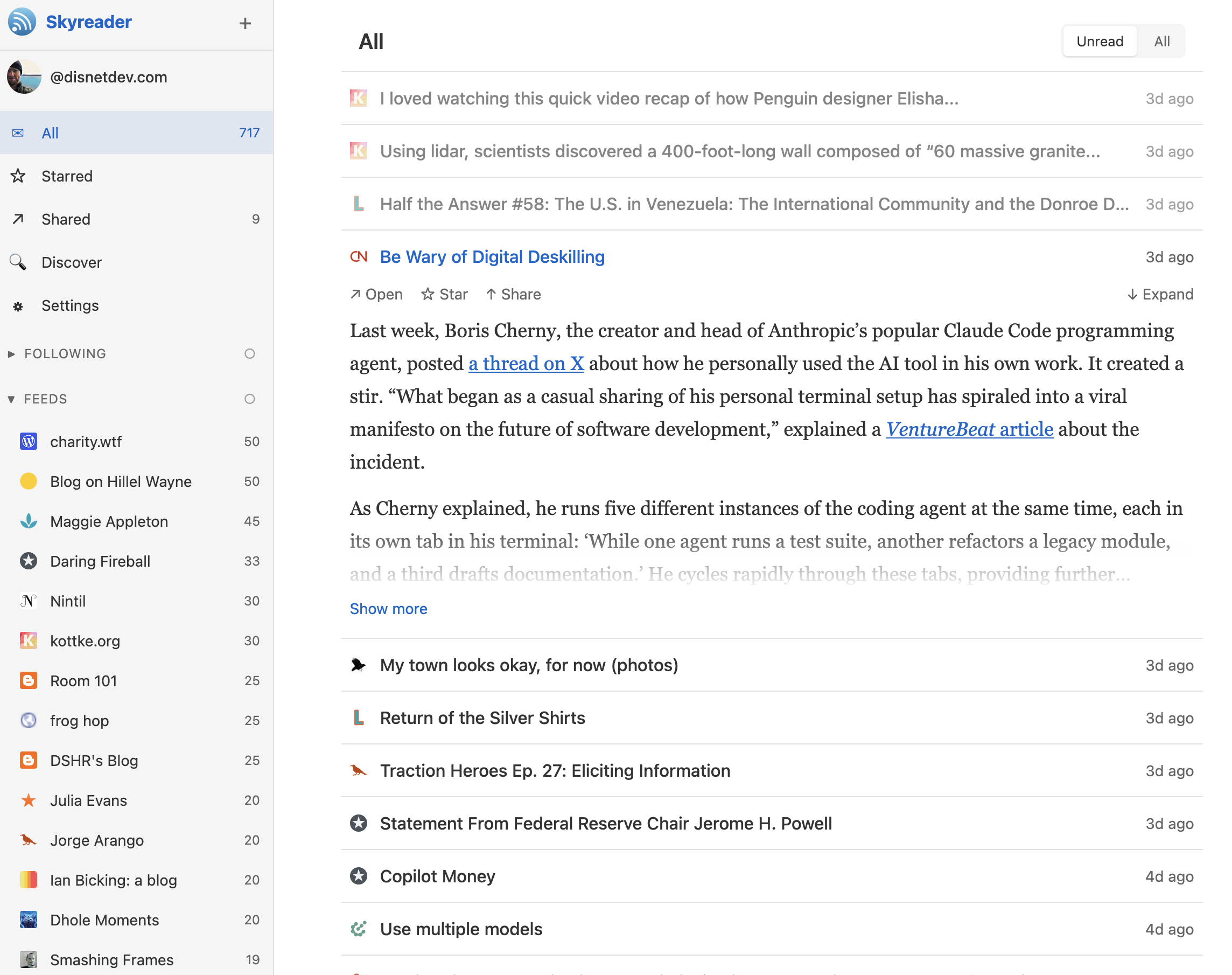
RSS readers are simple. They manage a list of websites you care about and show you new articles when they're posted. No algorithm deciding what you should see.
My favorite feature from the late, great Google Reader was article sharing. You could share articles to your followers in one click. It was a low-effort way to see what your friends were reading and share what you found interesting.
That feature died with Google Reader. Sure, you can post links in group chats or on social media now, but that collapses too many contexts. A dedicated feed of articles from a friend hits different.
Other RSS readers added social features after Google Reader shut down (like the old reader), but they all had the same problem: the social graph was locked into their platform. RSS itself is client-agnostic but article sharing was never part of the protocol, so it stayed locked in closed ecosystems.
The AT Protocol fixes this. AT Protocol is the underlying protocol for Bluesky and other decentralized apps. It's a kind of social filesystem that lets apps interoperate.
Skyreader writes the feeds you follow and the shares you make to the AT Protocol, so anyone could build a RSS reader that shows your shares. Your data is yours and the social layer is as portable as the feeds themselves.
I wrote Skyreader to match how I think about feeds. That might not work for you; the sheer number of different RSS readers suggests we all think about this differently. The neat thing about building on the AT protocol is we can all share the underlying data (feeds, shares) and move between readers as we like.
Take a look at Skyreader and let me know what you think. If you find any bugs let me know, but if you want it to work differently just make your own! RSS readers are simple, you can probably get Claude to knock one out in an afternoon (that's how long the initial Skyreader prototype took me). The code for Skyreader is available on Github if you want a starting point with the lexicon being the main thing you'll need to interoperate.
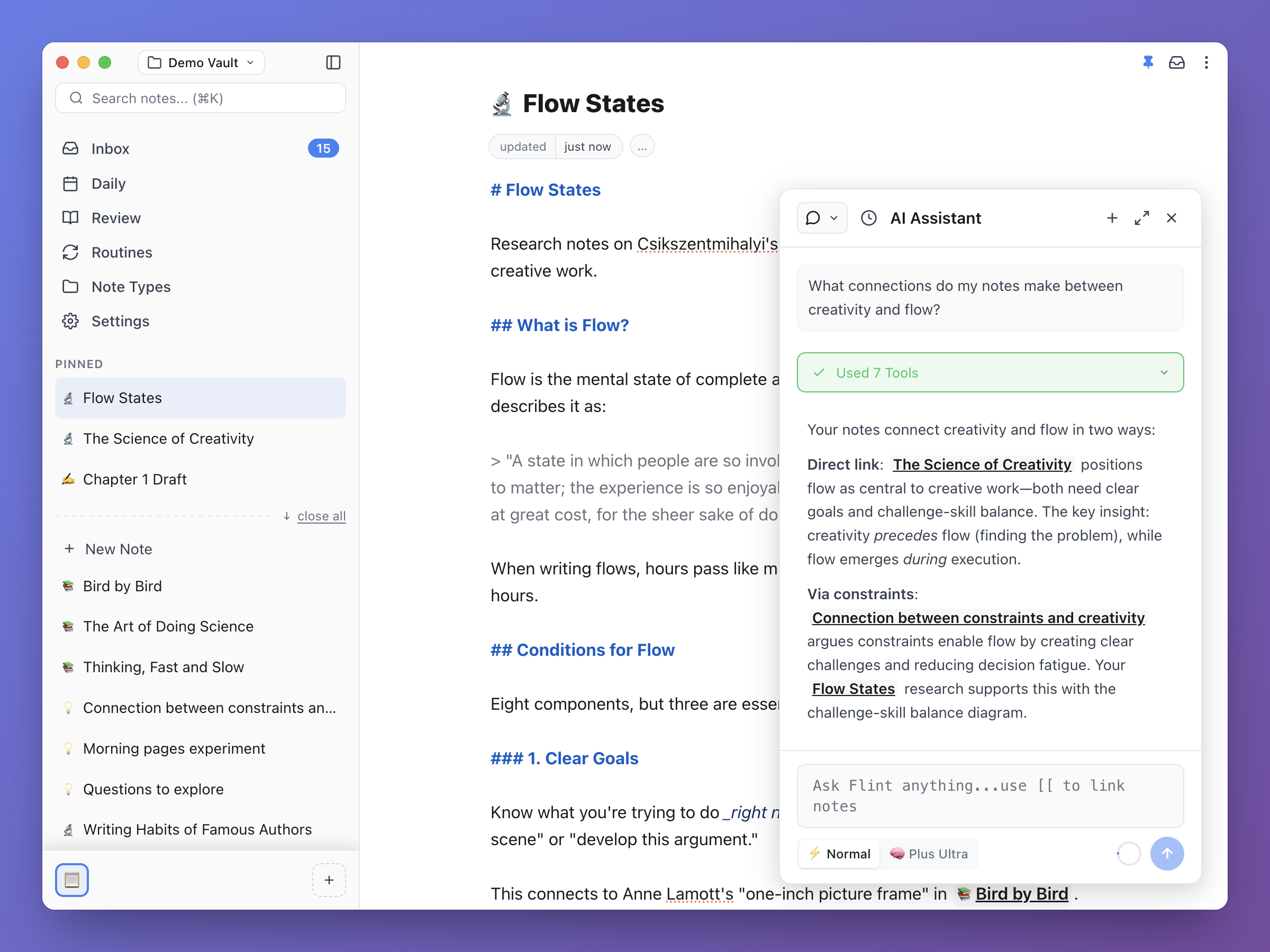
Flint now supports live preview for markdown syntax!
This should make viewing your notes much nicer. I'd been reluctant to implement live preview before now because I figured it would be tricky to implement and also I like plain markdown just fine. But, my husband's first round of feedback when I made him try Flint was that raw markdown sucks (he said it gently of course lol). Getting it working was way easier than I'd made it out to be so I really should have gotten to it earlier. Ah well.
Relatedly, I've also added a bunch of UX affordances to make formatting easier and more discoverable.
Now when you select text a formatting window pops up so you can apply your bold formatting choices.
We also now have a "+" button in the gutter (alternatively toggled by typing /) that allows you to insert block level syntax like headers and quotes.
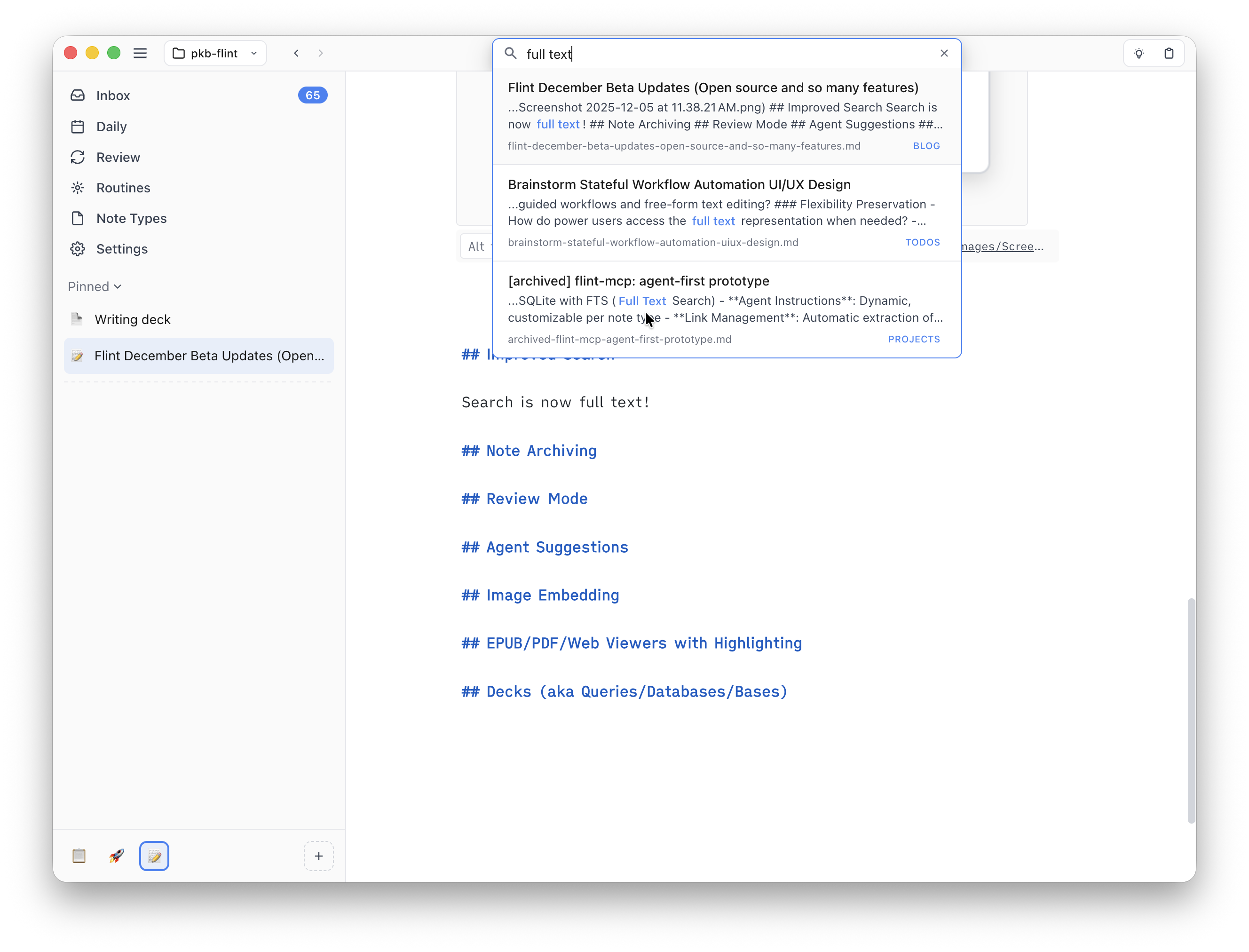
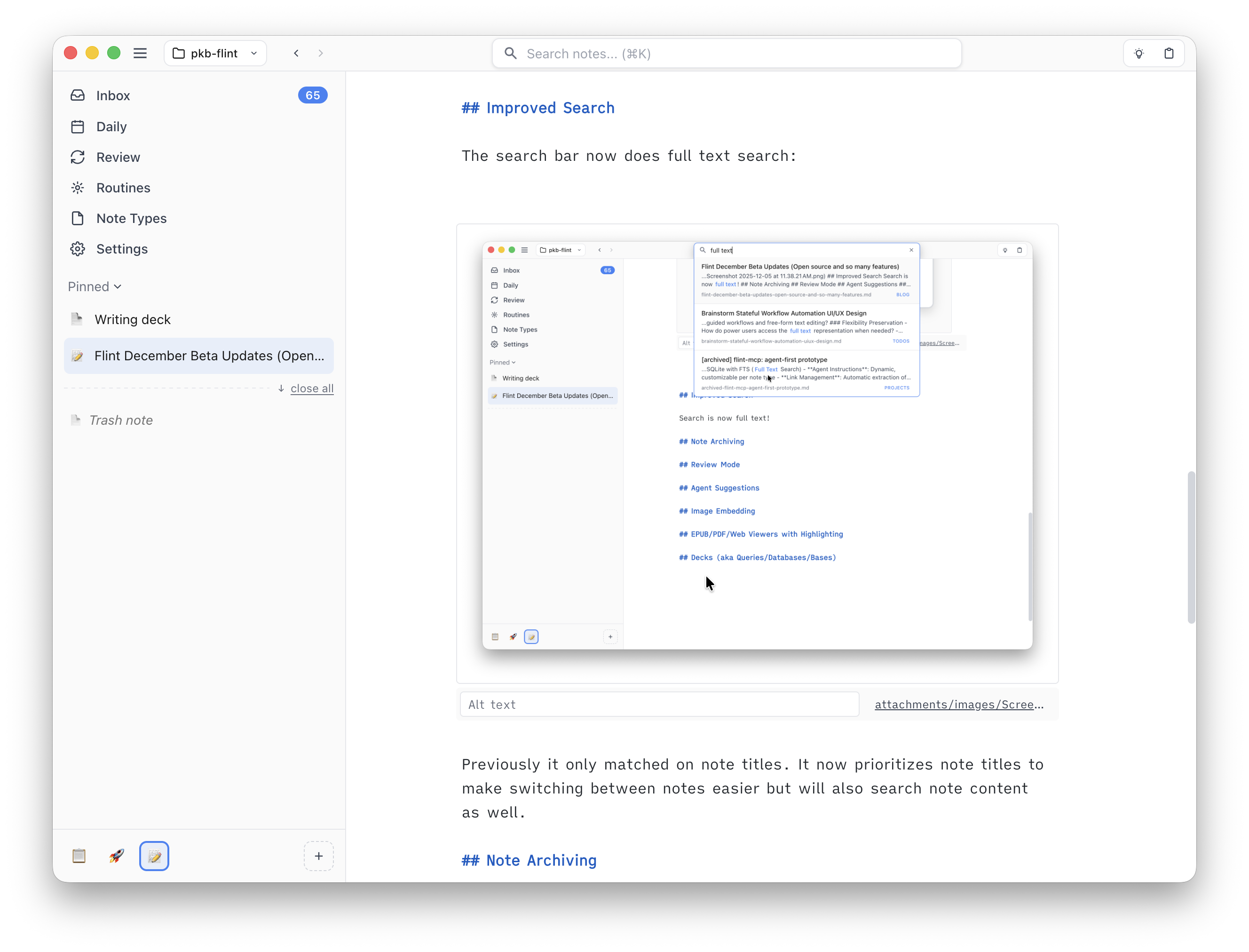
Up until now search results have been limited to showing matched titles and small snippets of note content. Now Cmd+Shift+Enter (or Ctrl+Shift+Enter on Windows/Linux) opens an expanded search result screen that shows matches across all notes. Searches can also be saved in the sidebar too so you can refer back if needed.
So that's what's changed recently. Take a look and as always let me know what you think.
This is part of my 2025 yearly roundup covering the books I read. tbh the middle of January is a bit late for an annual reflection but whatever, this is my blog and I can do what I want lol.
I didn't read as many books in 2025 as I would have liked so one of my 2026 goals is to fix that. Part of my issue is that I read multiple books at the same time. Not ideal so maybe in 2026 I can try and focus on one book at a time.
The most interesting book I finished all year, will be thinking about this one for a while. It's about "the industrialisation of decision-making" and how accountability (or unaccountability as the case might be) now works (or doesn't).
we began to get into the habit of ignoring the fact that every year, more of the decisions that affect our lives are made not by people but by systems. Strange, alien intelligences with desires and drives quite different from our own. They’re taking over the world – and not only that, for it seems that some of them are going mad.
By "strange, alien intelligences" he mostly means a corporation and related kinds of decision-making organizations rather than AI but this line is becoming even more true as we restructure the world with LLMs.
Required reading for our current technological/political moment if you haven't been following the thinking of "those guys" (MacAskill, Altman, SBF, Kurzweil, Yudkowsky, etc.) for a while.
I don't agree with the conclusion or arguments but worth reading to get a sense of how the LessWrong crowd thinks (without wading through that site). Pair with More Everything Forever if you must read it.
Big changes with Flint! Over the holidays I completely reworked just about every part of Flint.
The UI has been totally refreshed, making every view cleaner and easier to navigate.
Under the hood, the way Flint stores data has also changed. Previously we used a local SQLite database with a two-way sync to markdown files. This worked well enough (though the sync code was gross and had unresolved bugs) but the architecture made it hard to implement features I really wanted like versioning and syncing.
So, the new Flint now uses Automerge to store notes, while still keeping the two-way markdown file syncing of the previous version. Automerge is a CRDT library that makes it possible to sync data across devices without needing to store all your data in a central server. The current rework doesn't including syncing yet but guess what feature I'll be working on soon 😆.
The other capability Automerge gives us is the ability to easily make a web app that stores all your note data locally in the browser. You can try it out here to see the new interface and features without installing anything. The only capabilities that aren't included at the moment are markdown file syncing, review mode, and the AI agent.
I think Flint is really starting to come together. More to come soon but take a look and let me know what you think!
Progress on Flint has been going incredibly well! I'm recently back home from a great trip to Japan and with the release of Claude Opus 4.5 I've kinda been going beast mode on Flint development. Here's a roundup of all the features I've managed to ship in the past couple of weeks.
First up though, the Flint beta is now open to anyone who wants to kick the tires. You can download it here.
Not only is it free to download but I've also committed to open source. Flint's code is now free and available on GitHub.
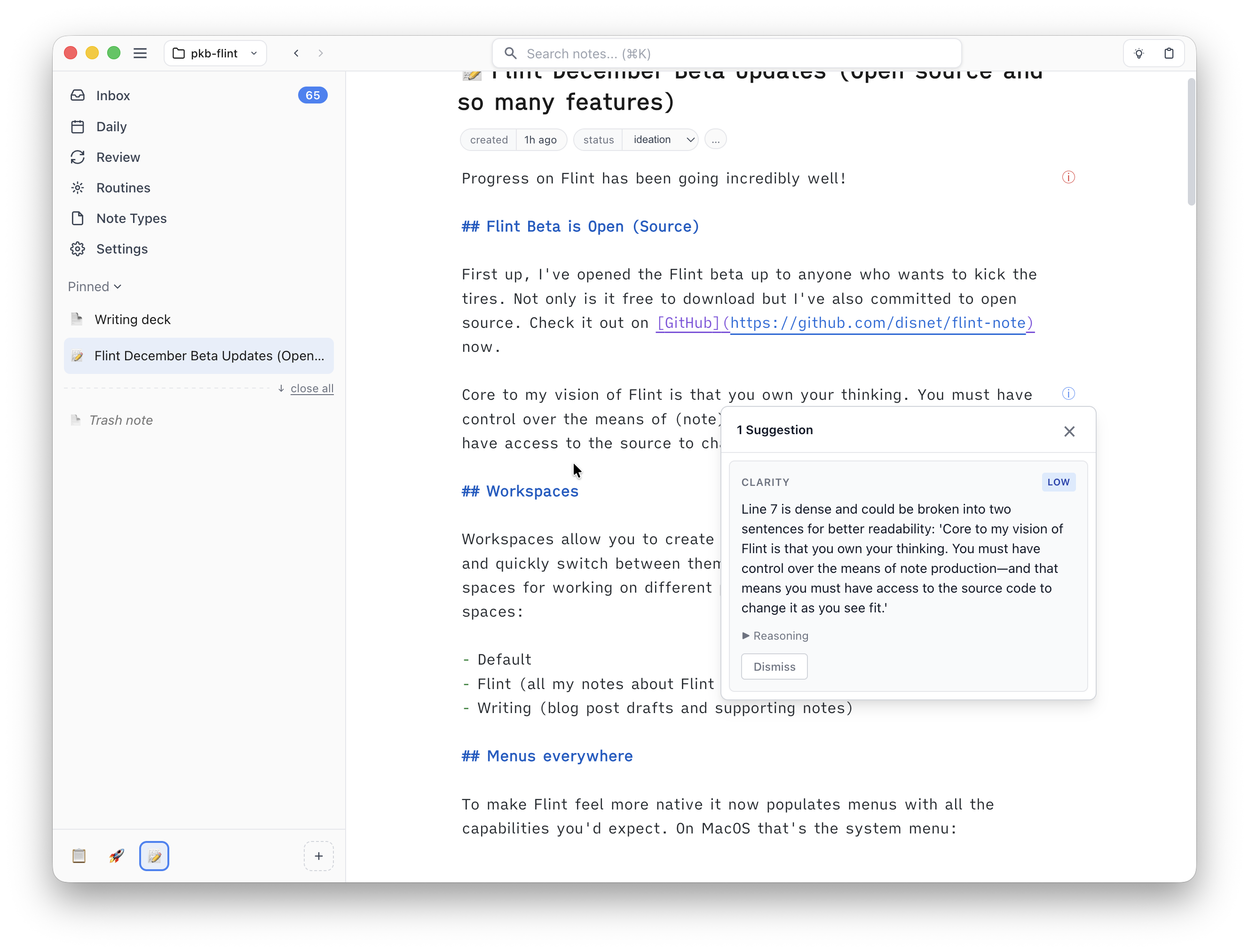
Core to my vision of Flint is that you own your thinking and for that to be true you must also have control over the means of (note) production. So open source it is.
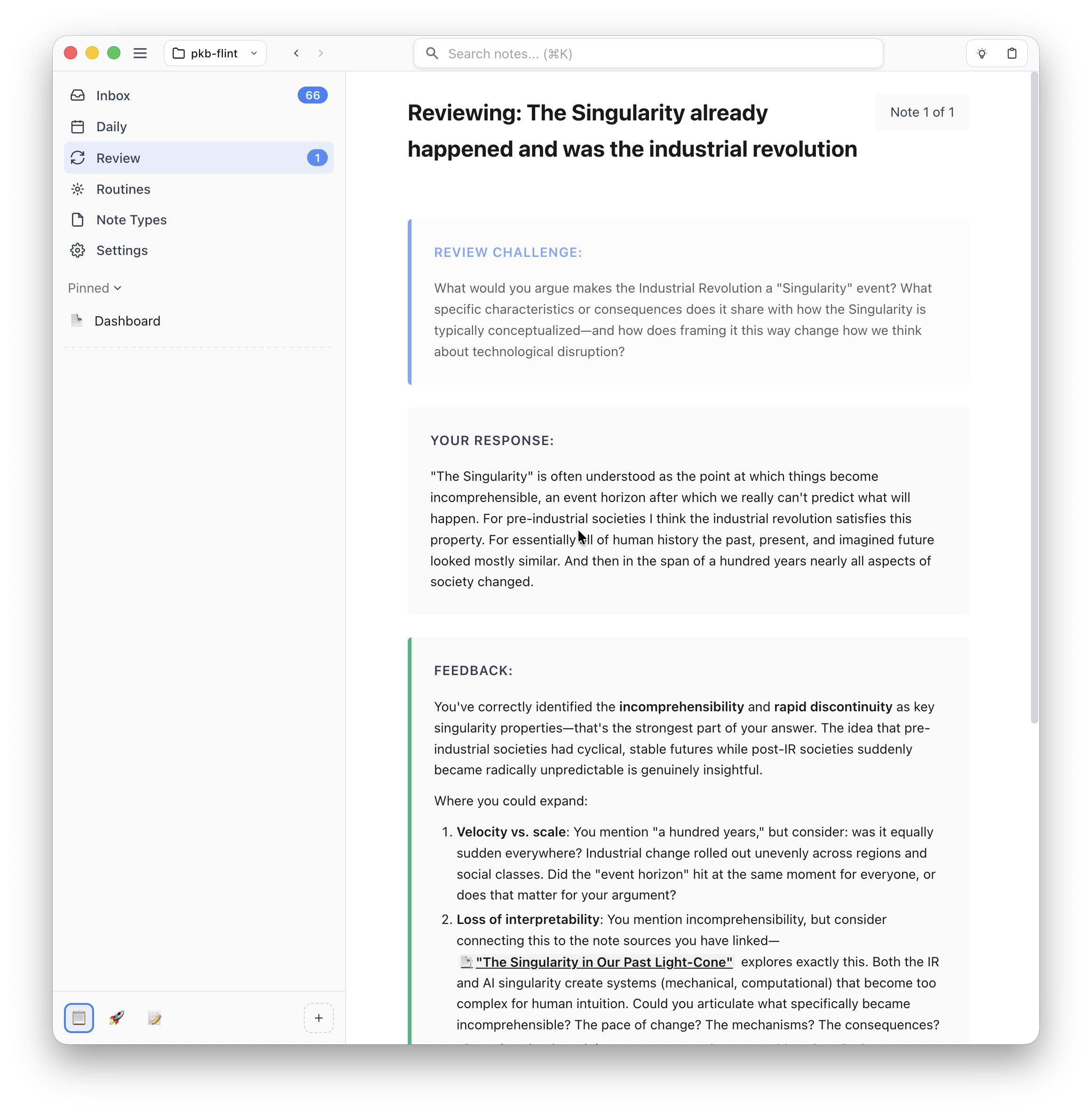
Review mode is a key piece of the "resurface" design pillar I've written about previously, which is all about helping you meaningfully re-engage with your notes over time.
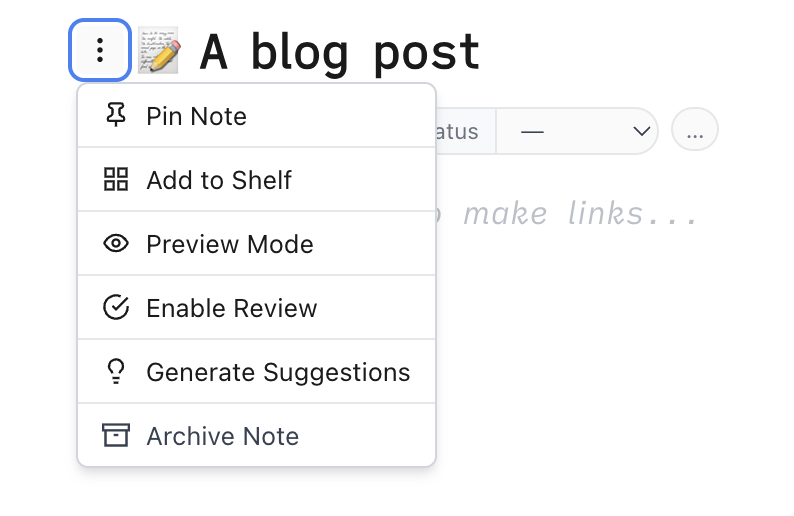
The way it works is any note you click "Enable Review" on is added to your review queue in the new "Review" system view. When you start a review the agent reads your notes and generates a question to get you to meaningfully engage with the material.
You can then write a response and mark how well your engagement with the note went. Based on your response the note is scheduled for review sometime in the future.
I think this mode is a pretty big deal. Spaced repetition is a well-studied and powerful technique for learning but creating effective prompts has always been a challenge. I think integrating the prompt and scheduling interface into your note-taking system unlocks something special.
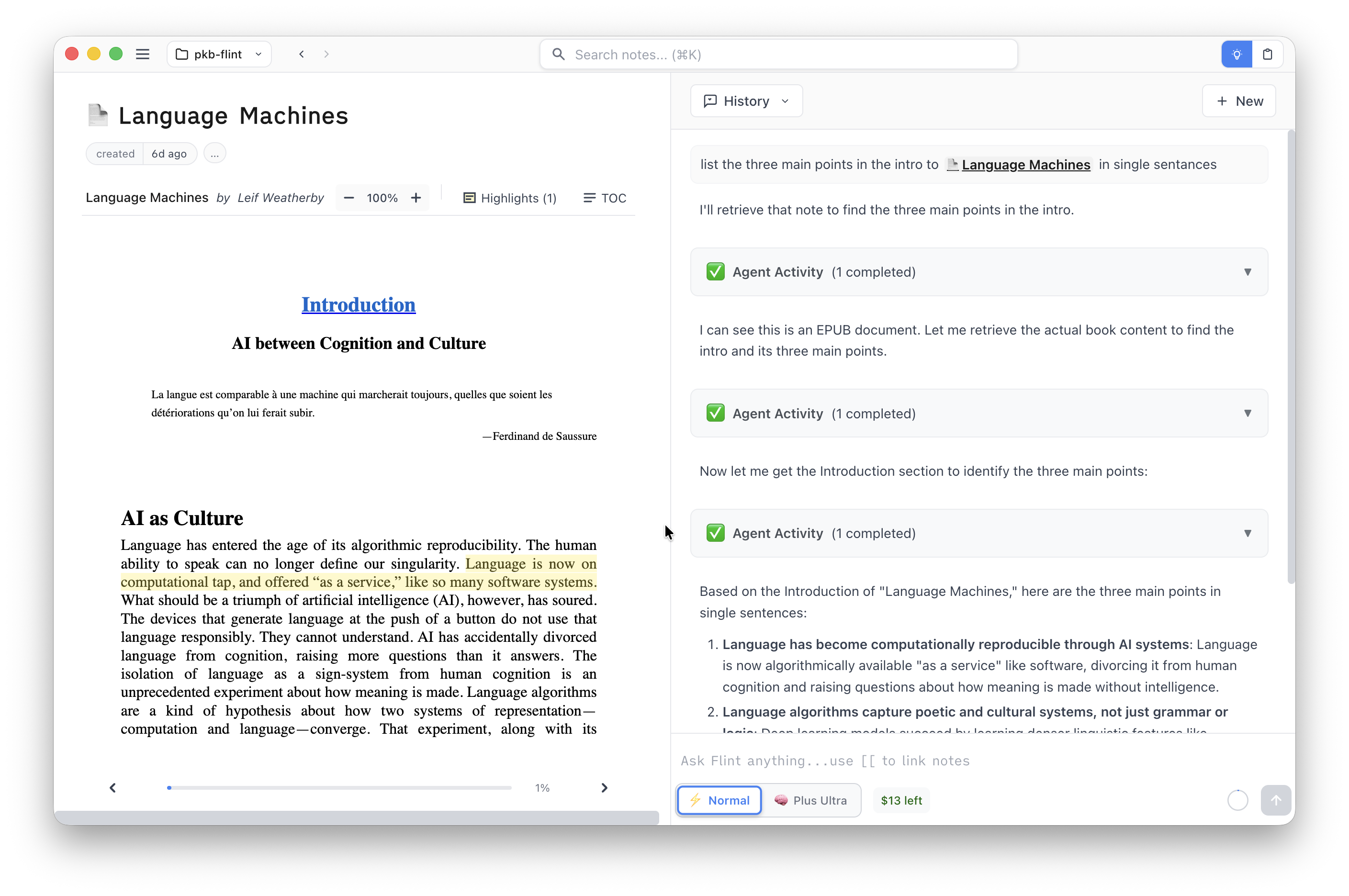
To help create more material for you to review, you can now add EPUBs, PDFs, and web pages to Flint. Each file type has its own optimized viewer and each viewer has support for making highlights. And, of course, the agent can read your books too.
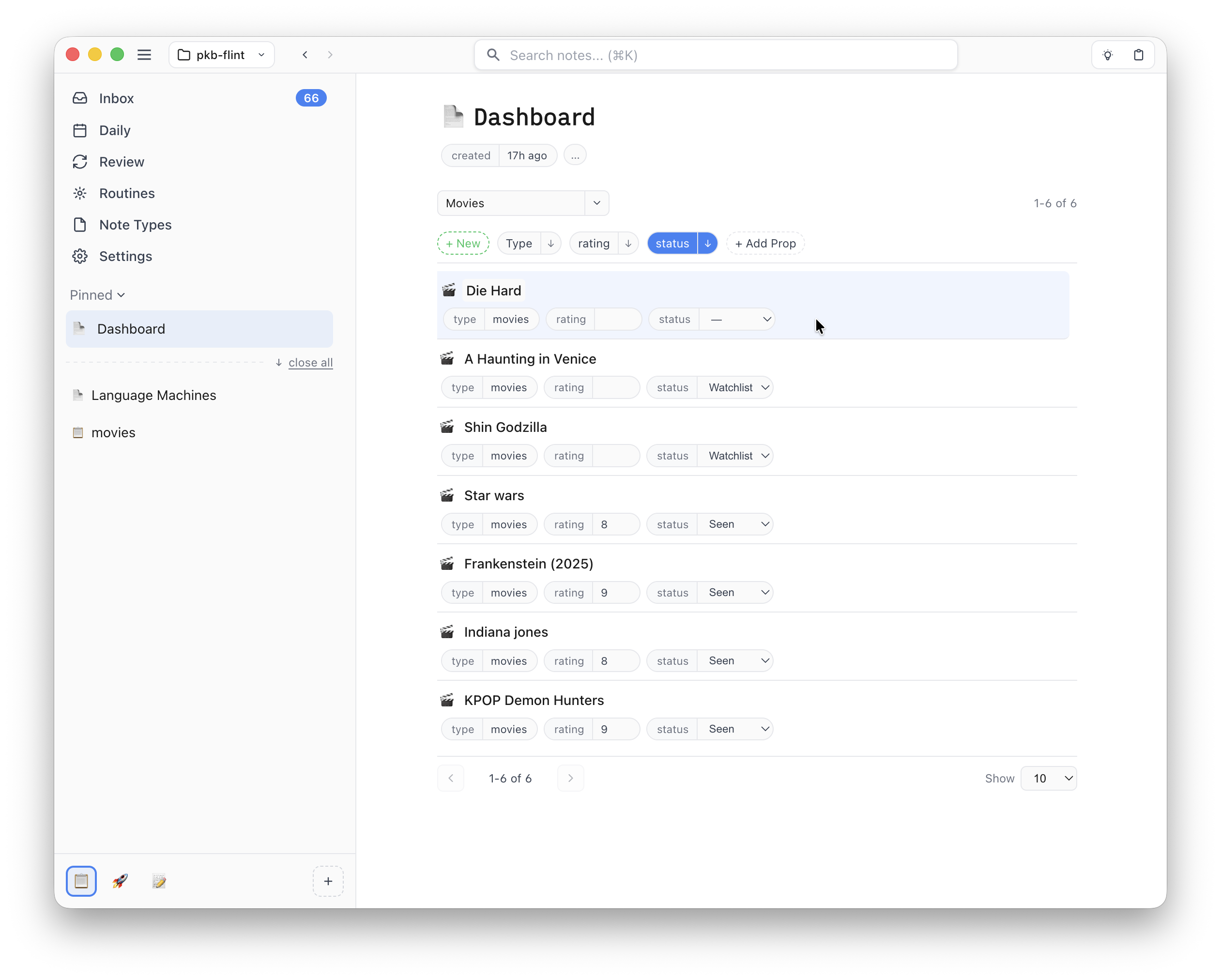
To help you keep track of all the notes you will now be creating I've also added Decks. Decks allow you to build dashboards of notes that match specific filters (a bit like Notion's Databases or Obsidian's Bases). Use it to track things like reading/watch lists, todo lists, etc.
For example, if you create a "movie" note type with properties like "rating" and "status" you can create a deck to track your favorites (type = movie AND rating >= 8) and another deck to track your watchlist (type = movie AND status != "seen"). No need to memorize the query syntax though, the UI lets you easily build complex filters and the agent is also very capable at building decks for you.
Each row in a deck is live—you can directly edit the title and properties to quickly keep your notes up to date.
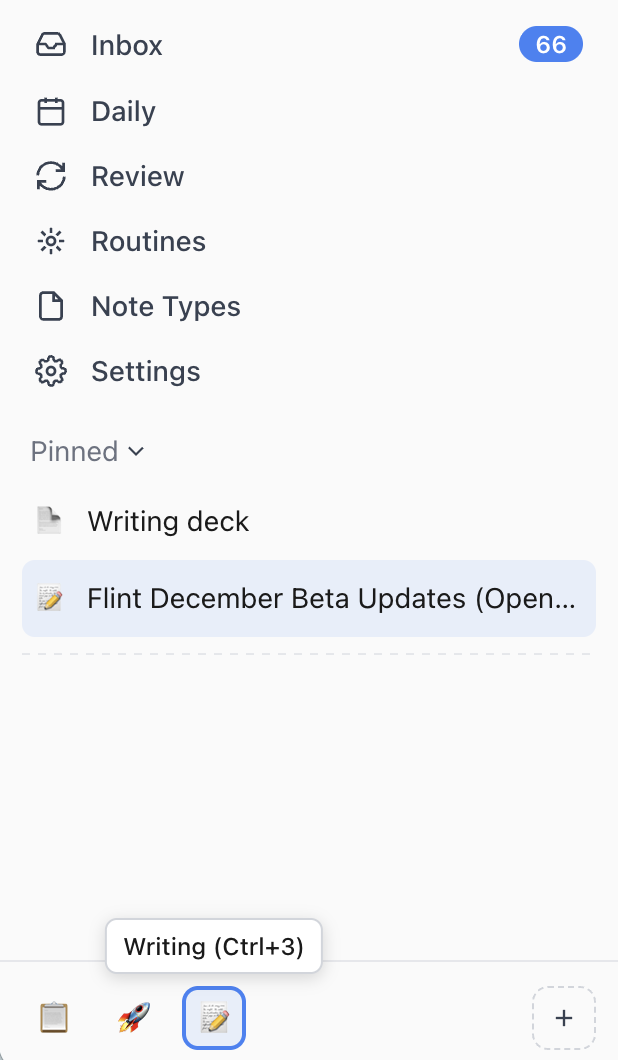
Workspaces are another feature to help you keep track of all your notes. They allow you to create focused groups of Pinned/Recent notes and quickly switch between them with keyboard shortcuts. Workspaces are great for creating dedicated groups of notes for managing different projects. As an example, I currently use the following spaces:
Default (unorganized, in-the-moment notes)
Flint (my notes about Flint development)
Writing (blog post drafts and supporting material)
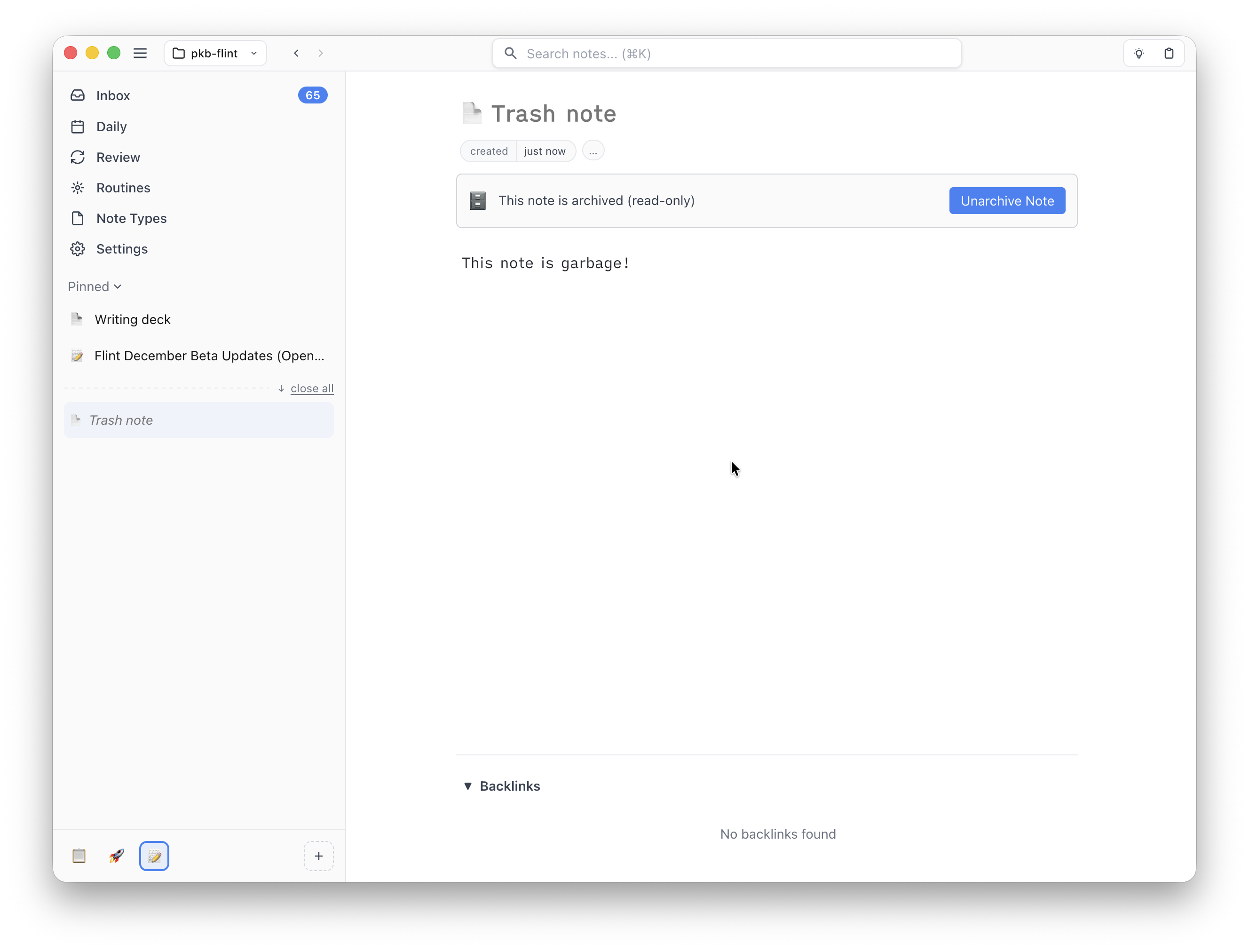
To keep your vault clean you can now archive notes. Archived notes are not deleted but will no longer show up in search or link autocomplete lists. All existing links to archived notes will still work, you just can't make any edits until you unarchive.
I've got big plans for more features as I work towards getting Flint ready for a 1.0 but the next few releases should be focused on polishing and responding to feedback. So try things out now and let me know how things are working (or not) for you.
We now have a bunch of places to drop feedback:
GitHub issues for reporting bugs and discussions for general questions or suggestions
 Tim Disney